

For gamers seeking to relive classic console experiences on modern Android devices, Happy Chick Emulator offers a convenient all-in-one solution. This application provides a unified platform to play a vast library of games from retro systems, eliminating the need for multiple individual emulators. It is primarily targeted at nostalgia-driven players and retro gaming enthusiasts who want easy access to titles from their childhood.
Unified Retro Gaming Hub
Happy Chick consolidates numerous classic gaming consoles into a single application, allowing users to explore titles from systems like the NES, PlayStation, and Sega Genesis. This centralized approach simplifies the gaming experience by removing the complexity of managing different emulator software. Users can browse and launch their favorite games from a unified interface, streamlining the process of switching between different gaming eras and hardware.
Extensive Built-in Game Library
The application includes access to a comprehensive collection of game ROMs directly through its interface, providing immediate entertainment without external file searches. This integrated library is organized by console type and genre, making it simple to discover new classic titles or find old favorites. The availability of such a wide range of games makes it a valuable resource for both seasoned retro gamers and newcomers exploring classic titles for the first time.
Customizable On-Screen Controls
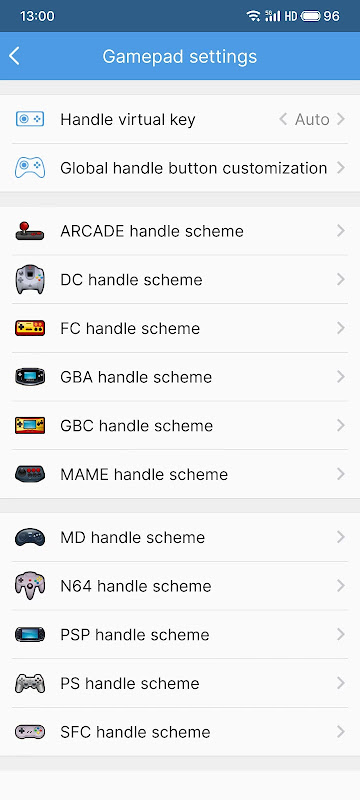
Happy Chick features adaptable touchscreen controls that can be customized to match user preferences and gameplay requirements. The layout and transparency of virtual buttons can be adjusted to optimize screen space and improve tactile response during gameplay. This flexibility ensures that both action-intensive games and slower-paced titles can be played comfortably on various Android screen sizes and resolutions.
Save State and Load Features
The emulator supports save states, allowing players to preserve their progress at any point in a game, a feature often absent in original hardware. This functionality enables users to resume gameplay exactly where they left off, even in titles that lack native save systems. The ability to create multiple save slots provides additional convenience for experimenting with different game strategies or sharing devices with other players.
High Compatibility with Gamepads
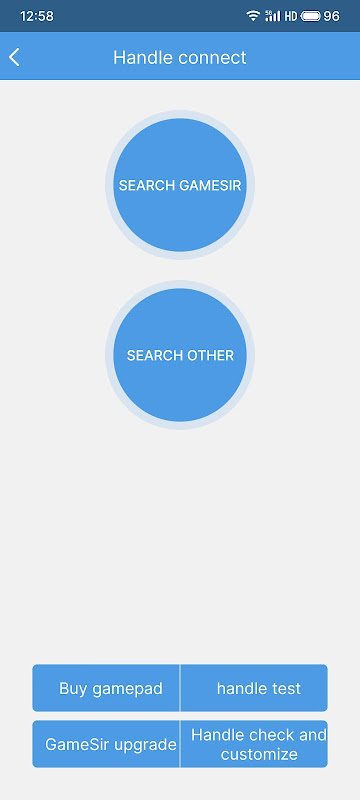
For those preferring physical controls, Happy Chick offers extensive support for various Bluetooth and USB gamepads. The application automatically recognizes most popular controller models and maps the buttons appropriately for each emulated system. This compatibility enhances the authentic console experience, providing precise control that many users find superior to touchscreen interfaces for retro gaming.
Regular Console and Game Updates
The application’s development team consistently works to expand its compatibility with additional gaming systems and titles through regular updates. These improvements ensure that new discoveries in the retro gaming community can be enjoyed within the platform. The ongoing support helps maintain stability and performance across different Android device configurations and operating system versions.
Frequently Asked Questions
The emulator supports a wide range of classic systems including Nintendo Entertainment System, Super Nintendo, Sega Genesis, PlayStation, and various handheld consoles. This broad compatibility allows users to access games from multiple generations of gaming hardware through a single application interface.
While an internet connection is necessary for initially browsing and downloading games from the built-in library, most titles can be played offline once they are saved to your device. This makes it convenient for gaming during travel or in areas with limited connectivity.
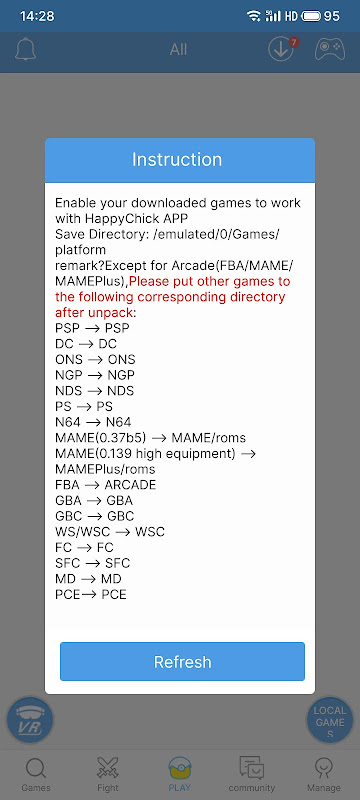
The application provides functionality to load personally owned game ROM files if they are legally obtained. This feature allows users to play specific titles that might not be available in the built-in library while ensuring they maintain proper legal standing with their game acquisitions.